# Assigning a team to a tenant
The Octo Pet Shop application has two development teams (Avengers and Radical) that are concurrently developing features for the application. Scoping the team to their specific tenant will ensure they can only deploy to their dedicated infrastructure.
## Scoping a team to a tenant
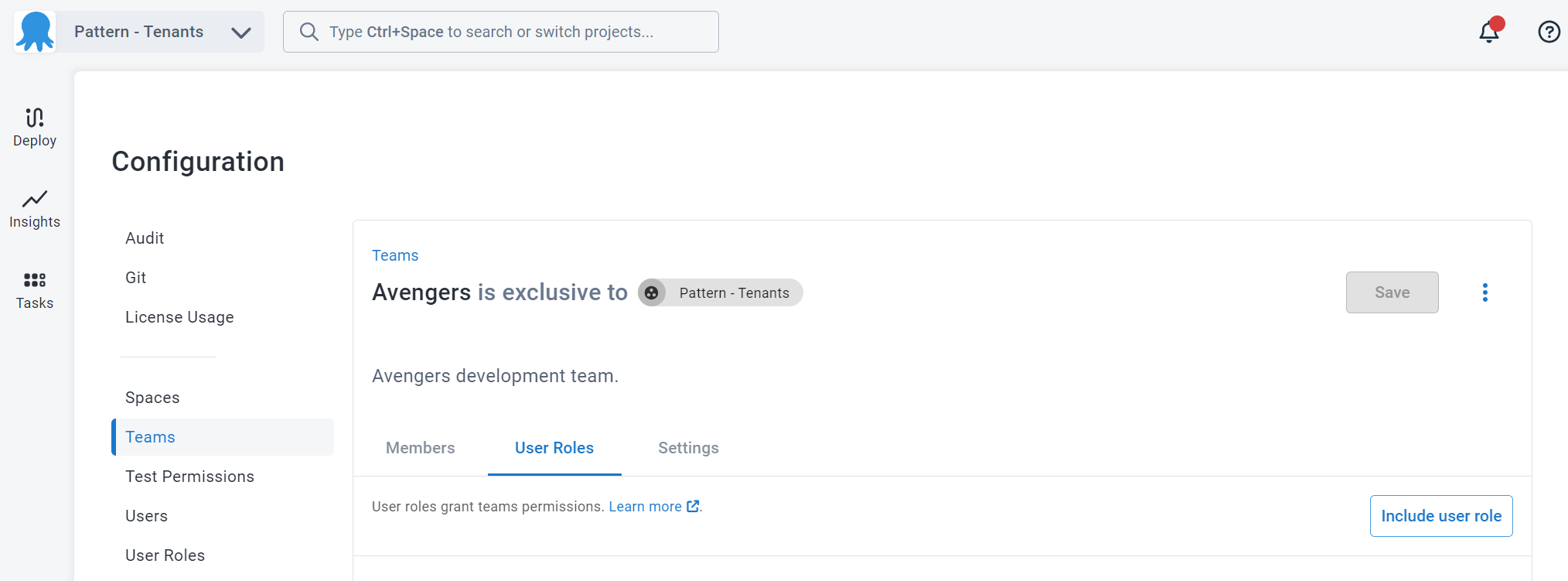
Once you've created your team, click on the **User Roles** tab.
:::figure
:::
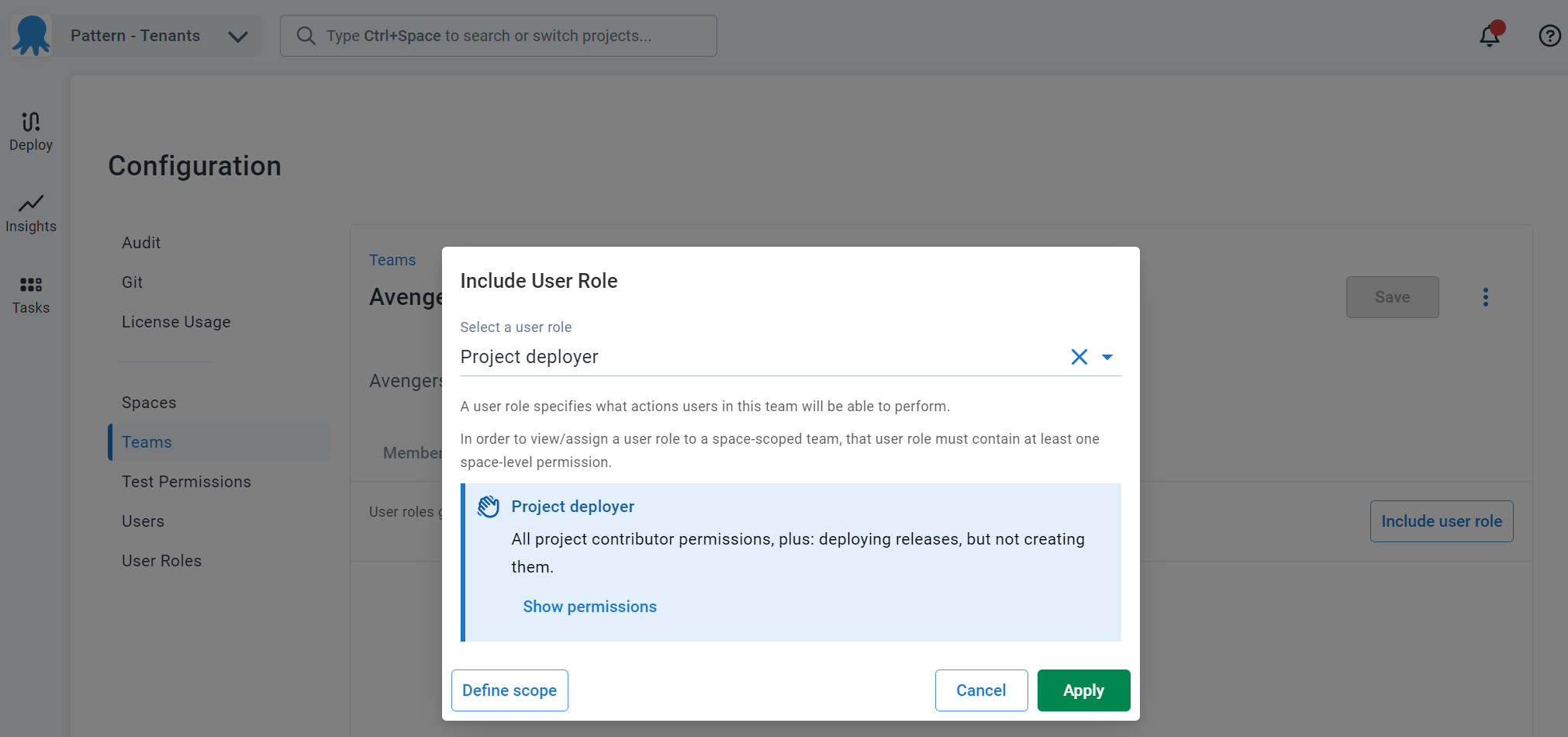
Click on **Include User Role** then select the role to include for the team. After the role has been selected, click on **Define scope**
:::figure
:::
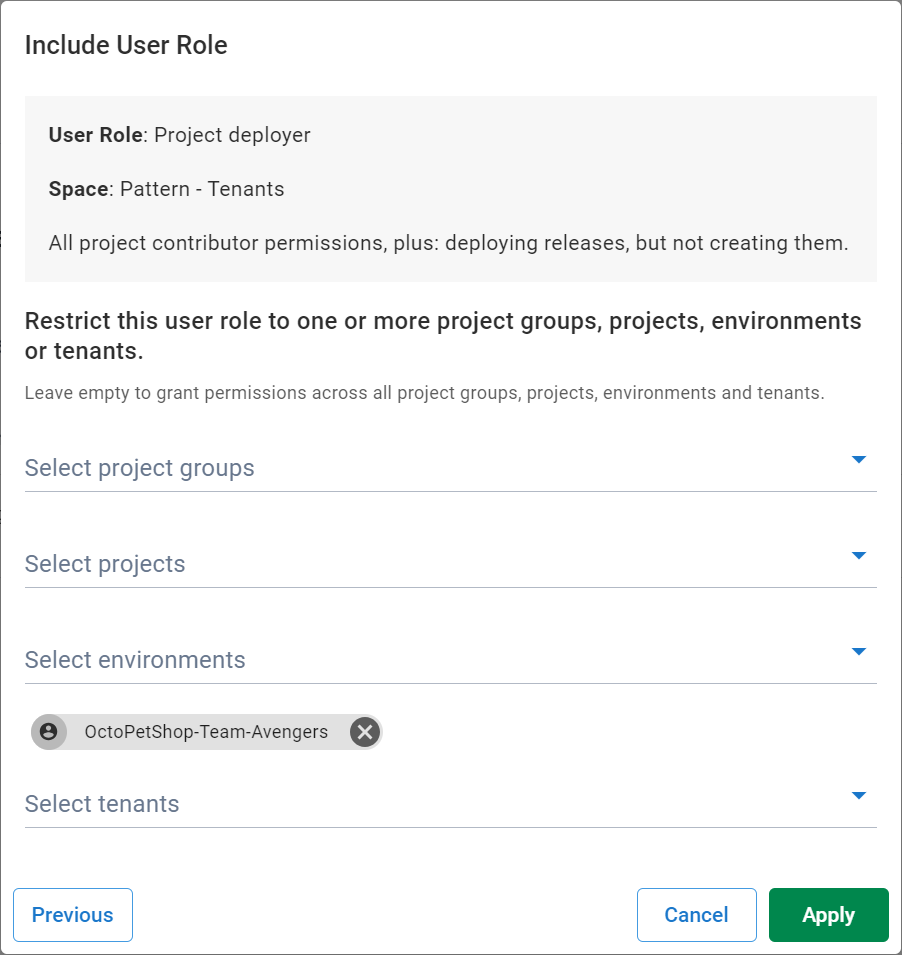
Select the tenant and click **Apply**
:::figure
:::
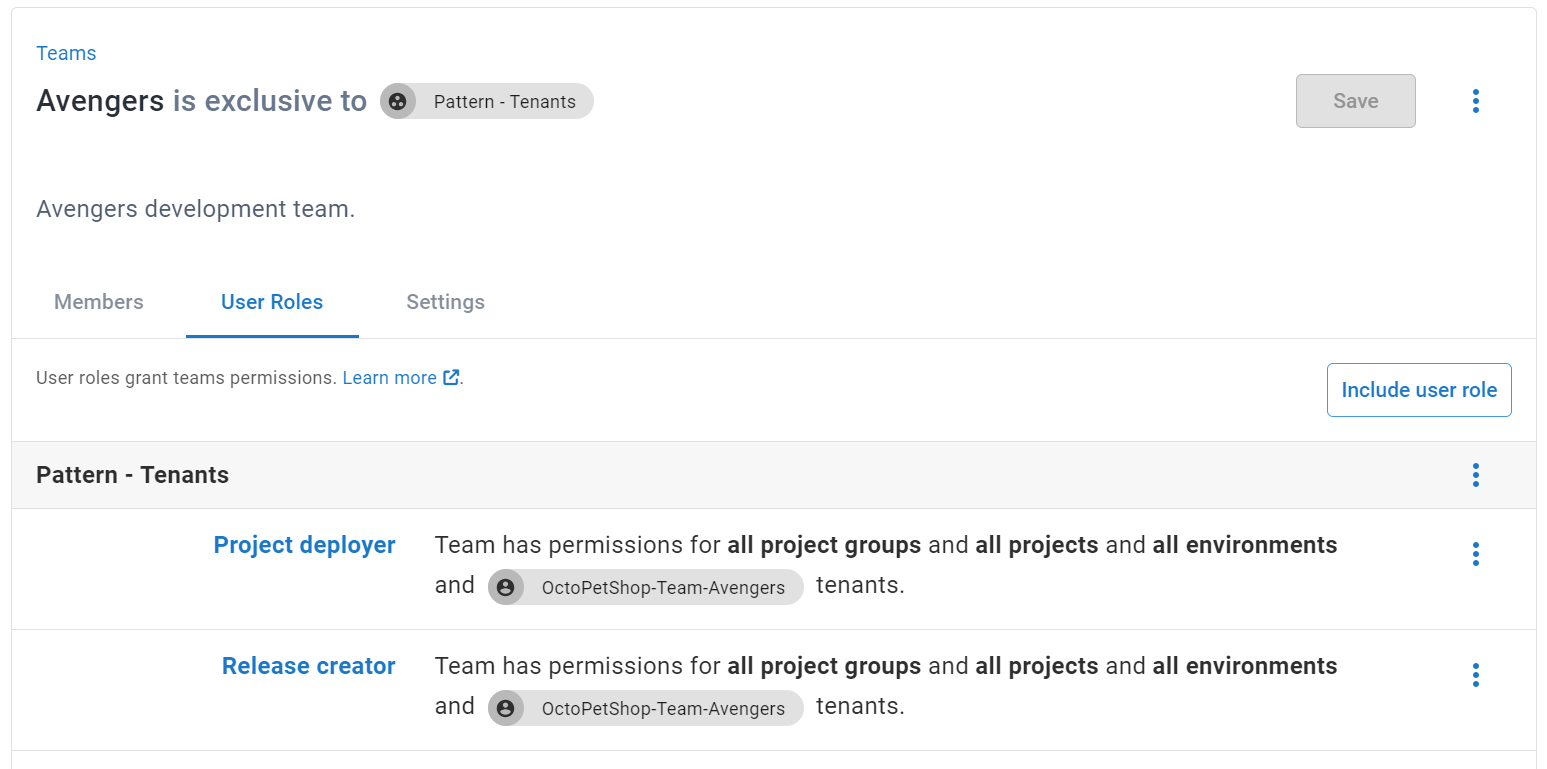
This configures the team with `Release Creator` and `Project Deployer` permissions to any project with the Tenant `OctoPetShop-Team-Avengers`
:::figure
:::
Previous Next