# Certificate variables
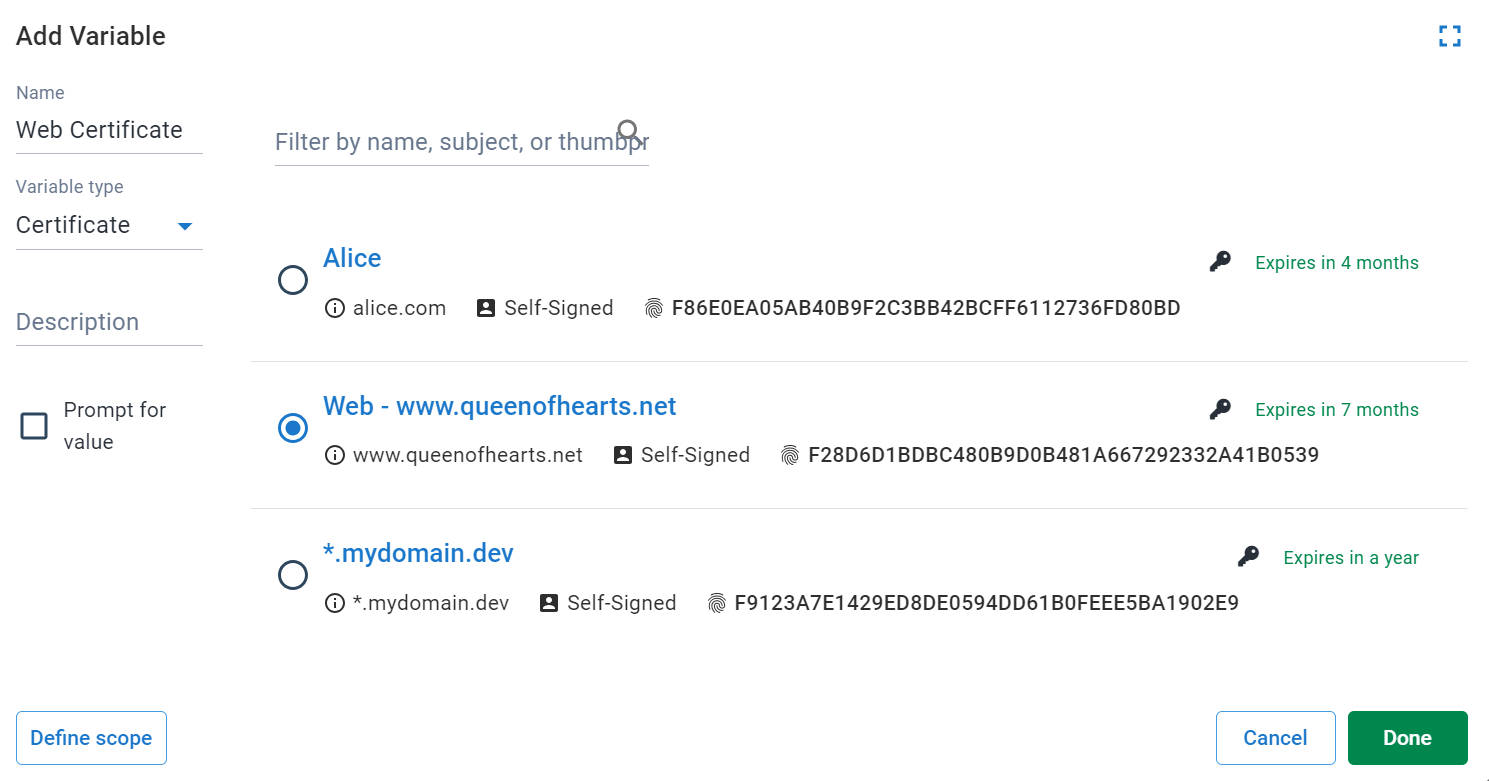
In the variable-editor, selecting *Certificate* as the [variable](/docs/projects/variables) type allows you to create a variable with a certificate managed by Octopus as the value.
:::figure
:::
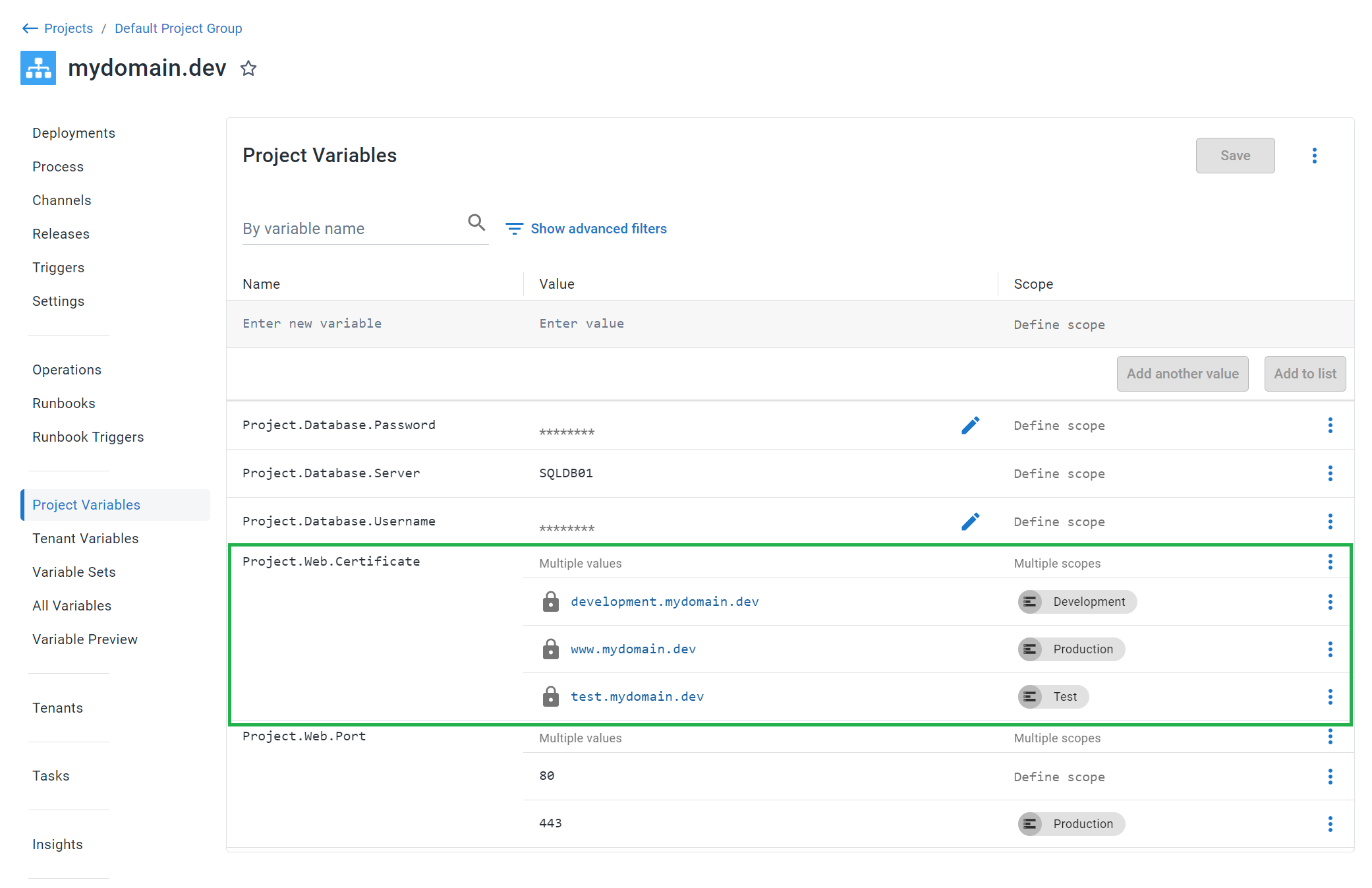
Certificate variables can be [scoped](/docs/projects/variables/#scoping-variables), similar to regular text variables.
:::figure
:::
## Expanded properties
At deploy-time, certificate variables are expanded. For example, a variable _MyCertificate_ becomes:
| Variable | Description | Example value |
| ---------------------- | ------------------ | ------------- |
| `MyCertificate` | The certificate ID | Certificates-1 |
| `MyCertificate.Type` | The variable type | Certificate
| `MyCertificate.Name` | The user-provided name | My Development Certificate
| `MyCertificate.Thumbprint` | Thumbprint | A163E39F59560E6FE33A0299D19124B242D9B37E
| `MyCertificate.RawOriginal` | The base64 encoded original file, exactly as it was uploaded. |
| `MyCertificate.Password` | The password specified when the file was uploaded. |
| `MyCertificate.Pfx` | The base64 encoded certificate in [PKCS#12](https://datatracker.ietf.org/doc/html/rfc7292#page-9) format, including the private-key if present. If the originally uploaded certificate was password-protected (i.e. `MyCertificate.Password` is not empty), then this value will also be a password-protected PFX (PKCS#12) format.
| `MyCertificate.Certificate` | The base64 encoded DER ASN.1 certificate. |
| `MyCertificate.PrivateKey` | The base64 encoded DER ASN.1 private key. This will be stored and transmitted as a [sensitive variable](/docs/projects/variables/sensitive-variables). |
| `MyCertificate.CertificatePem` | The PEM representation of the certificate (i.e. the PublicKey with header\footer). |
| `MyCertificate.PrivateKeyPem` | The PEM representation of the private key (i.e. the PrivateKey with header\footer). |
| `MyCertificate.ChainPem` | The PEM representation of any chain certificates (intermediate or certificate-authority). This variable does not include the primary certificate. |
| `MyCertificate.Subject` | The X.500 distinguished name of the subject |
| `MyCertificate.SubjectCommonName` | The un-attributed subject common name |
| `MyCertificate.Issuer` | The X.500 distinguished name of the issuer |
| `MyCertificate.NotBefore` | NotBefore date | 2016-06-15T13:45:30.0000000-07:00
| `MyCertificate.NotAfter` | NotAfter date | 2019-06-15T13:45:30.0000000-07:00
### Example usage
Given the certificate variable `MyCertificate`, you can access the certificate thumbprint in a script like this:
PowerShell
```powershell PowerShell
Write-Host $OctopusParameters["MyCertificate.Thumbprint"]
```
Bash
```bash
thumbprint=$(get_octopusvariable "MyCertificate.Thumbprint")
echo "$thumbprint"
```
It's possible to write the PEM representation of the certificate to a file for use directly with a web server e.g. Apache, or a reverse proxy like NGINX. In bash, the script looks like this:
```bash
CERT=$(get_octopusvariable "MyCertificate.CertificatePem")
echo "$CERT" > my_cert.crt
```
If your certificate also contains any chain certificates (e.g. intermediate or certificate authority), they can be written to a file that contains the primary certificate too. The following example shows how to do so in bash:
```bash
CERT=$(get_octopusvariable "MyCertificate.CertificatePem")
CHAIN=$(get_octopusvariable "MyCertificate.ChainPem")
COMBINED_CHAIN="$CERT\n$CHAIN"
echo -e "$COMBINED_CHAIN" > my_combined.crt
```
If your certificate also has a private key that you need to export, you can use the `PrivateKeyPem` property using bash:
```bash
KEY=$(get_octopusvariable "MyCertificate.PrivateKeyPem")
echo "$KEY" > ssl.key
```
## Learn more
- [Variable blog posts](https://octopus.com/blog/tag/variables/1)