# AWS account variables
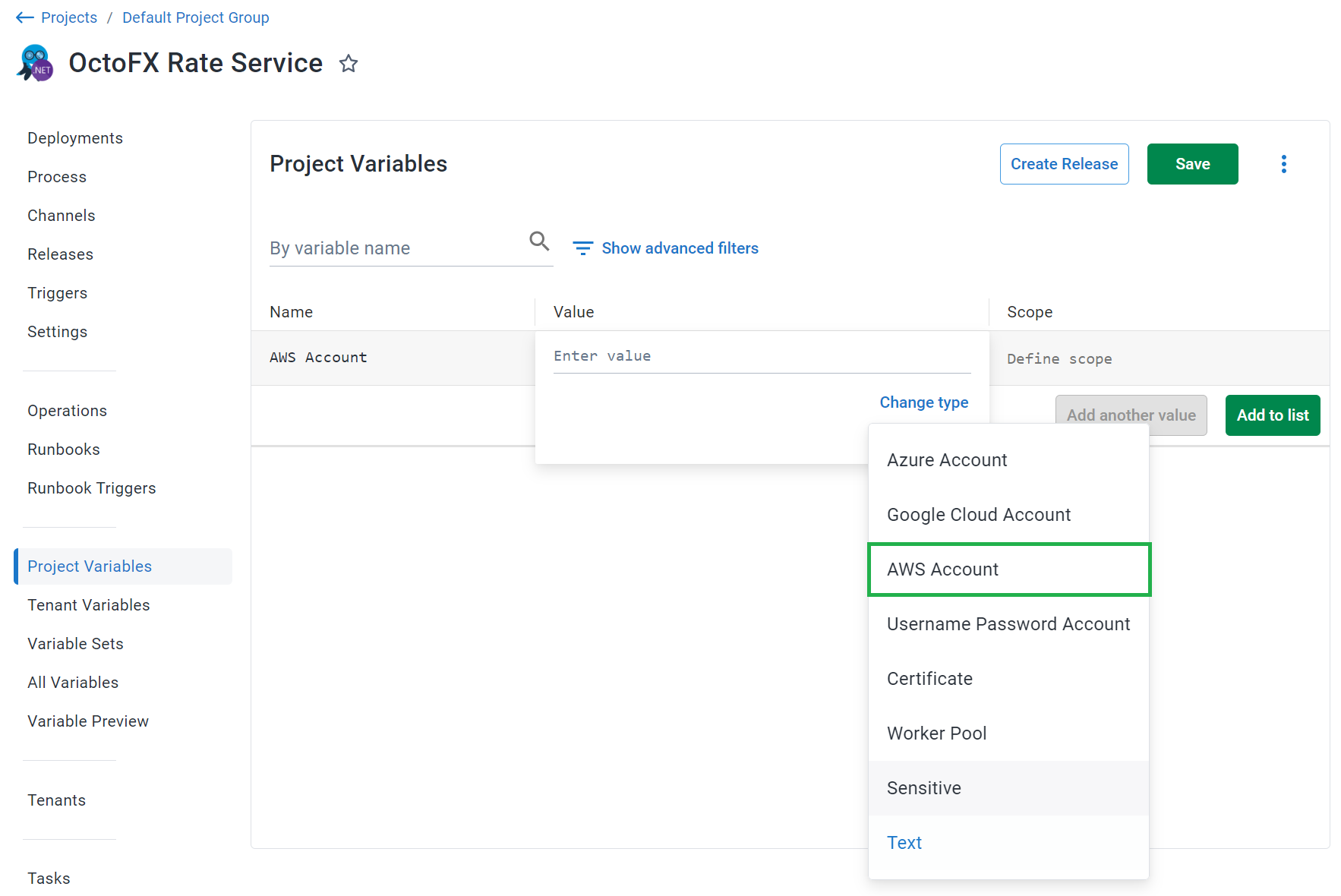
[AWS accounts](/docs/infrastructure/accounts/aws/) are included in a project through a project [variable](/docs/projects/variables/) of the type **AWS Account**. Before you create an **AWS account variable**, you need to [create an AWS account](/docs/infrastructure/accounts/aws) in Octopus:
:::figure
:::
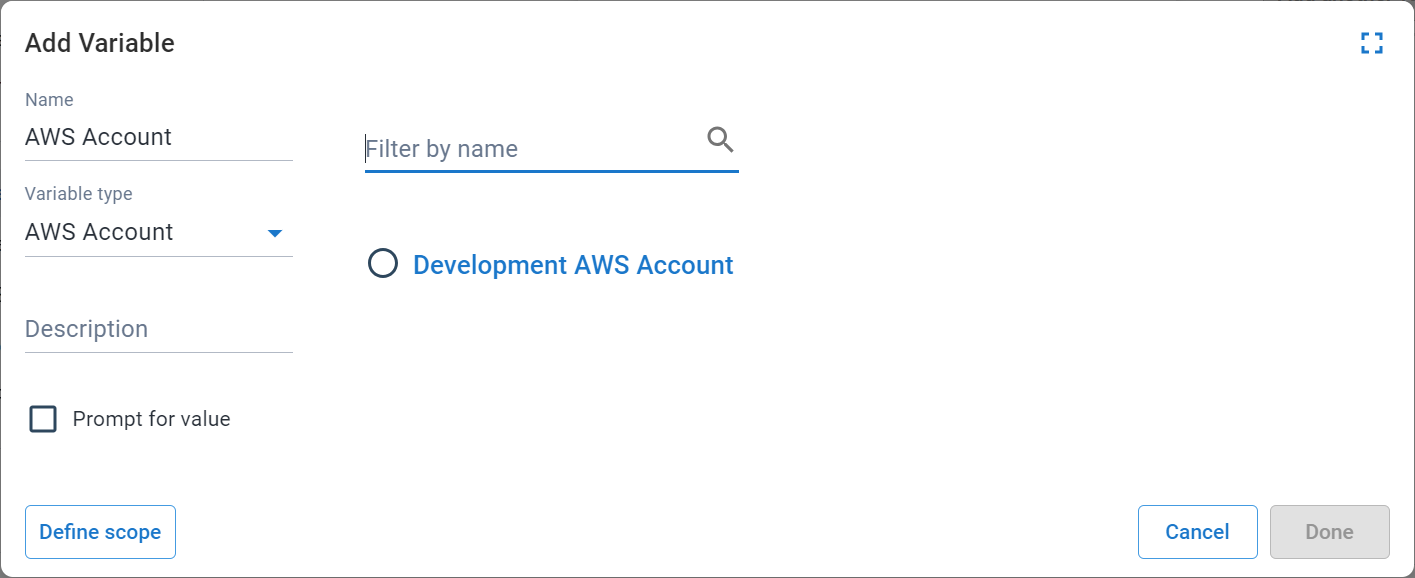
The **Add Variable** window is then displayed and lists all the AWS accounts.
Select the AWS account you want to access from the project to assign it to the variable:
:::figure
:::
## AWS account variable properties
The AWS account variable also exposes the following properties that you can reference in a PowerShell script:
**Access Key account**
| Name and description |
| -------------------- |
| **`AccessKey`**
The Access Key for the AWS account|
| **`SecretKey`**
The Secret Key for the AWS account|
**OpenId Connect account**
| Name and description |
| -------------------- |
| **`RoleArn`**
The Role Arn that identifies the AWS role|
| **`SessionDuration`**
The session duration for the AWS role|
| **`OpenIdConnect.Jwt`**
The JWT identity token for the current task|
### Accessing the properties in a script
Each of the above properties can be referenced in PowerShell.
```powershell
# For an account with a variable name of 'aws account'
# Using $OctopusParameters
Write-Host 'AwsAccount.Id=' $OctopusParameters["aws account"]
Write-Host 'AwsAccount.AccessKey=' $OctopusParameters["aws account.AccessKey"]
# For an OpenId Connect account
Write-Host `AwsAccount.RoleArn=` $OctopusParameters["aws account.RoleArn"]
Write-Host `AwsAccount.SessionDuration=` $OctopusParameters["aws account.SessionDuration"]
# Directly as a variable
Write-Host 'AwsAccount.Id=' #{aws account}
Write-Host 'AwsAccount.AccessKey=' #{aws account.AccessKey}
# For an OpenId Connect account
Write-Host `AwsAccount.RoleArn=` #{aws account.RoleArn}
Write-Host `AwsAccount.SessionDuration=` #{aws account.SessionDuration}
# Manually obtain temporary credentials for the AWS Cli with an OpenId Connect account
aws sts assume-role-with-web-identity `
--duration-seconds $OctopusParameters["aws account.SessionDuration"] `
--role-session-name `
--role-arn $OctopusParameters["aws account.RoleArn"]
--web-identity-token $OctopusParameters["aws account.OpenIdConnect.Jwt"]
```
:::div{.hint}
**Parameter naming convention**
The name of the Octopus Parameter will be mapped to the name of the variable that was defined. As shown in the PowerShell example, one of the parameters is named `aws account` because the variable defined above was also named `aws account`. If the variable were named `test account information`, the PowerShell example would need to be changed to `test account information`.
:::
## Add an AWS account to Octopus
For instructions to set up an AWS account in Octopus, see [AWS accounts](/docs/infrastructure/accounts/aws).
## Learn more
- [Variable blog posts](https://octopus.com/blog/tag/variables/1)