# Octo Command Line (CLI) in Octopus (Deprecated)
:::div{.hint}
The Octo CLI has been replaced by the new Octopus CLI. We will no longer provide feature or security updates to the Octo CLI and we recommend making the swap to the new Octopus CLI as soon as it's practical to do so.
:::
The Octo CLI is a command line tool that builds on top of the [Octopus Deploy REST API](/docs/octopus-rest-api). With the Octo CLI you can package your applications for deployment as either Zip or NuGet packages, and manage your environments, deployments, channels, projects, and workers.
The Octo CLI, which leans heavily on the [Octopus Clients library](https://github.com/OctopusDeploy/OctopusClients), is built and maintained by the Octopus Deploy team, but it is also open source. The Octo CLI can be used on Windows, Mac, Linux, Docker, and as a .NET Core global tool. For installation options and direct downloads, visit the [Octopus CLI Project on GitHub](https://github.com/OctopusDeploy/OctopusCli).
## Commands \{#octoCommandLine-Commands}
`octo` supports the following commands:
- **[allow-releaseprogression](/docs/octopus-rest-api/octopus-cli/allow-releaseprogression)**: Allows a release to progress to the next phase.
- **[build-information](/docs/octopus-rest-api/octopus-cli/build-information)**: Pushes build information to Octopus Server.
- **[clean-environment](/docs/octopus-rest-api/octopus-cli/clean-environment)**: Cleans all Offline Machines from an Environment.
- **[clean-workerpool](/docs/octopus-rest-api/octopus-cli/clean-workerpool)**: Cleans all Offline Workers from a WorkerPool.
- **[complete](/docs/octopus-rest-api/octopus-cli/complete)**: Supports command line auto completion.
- **[create-autodeployoverride](/docs/octopus-rest-api/octopus-cli/create-autodeployoverride)**: Overrides the release that auto deploy will use.
- **[create-channel](/docs/octopus-rest-api/octopus-cli/create-channel)**: Creates a channel for a project.
- **[create-environment](/docs/octopus-rest-api/octopus-cli/create-environment)**: Creates a deployment environment.
- **[create-project](/docs/octopus-rest-api/octopus-cli/create-project)**: Creates a project.
- **[create-release](/docs/octopus-rest-api/octopus-cli/create-release)**: Creates (and, optionally, deploys) a release.
- **[create-workerpool](/docs/octopus-rest-api/octopus-cli/create-workerpool)**: Creates a pool for workers.
- **[delete-autodeployoverride](/docs/octopus-rest-api/octopus-cli/delete-autodeployoverride)**: Deletes auto deploy release overrides.
- **[delete-package](/docs/octopus-rest-api/octopus-cli/delete-package)**: Deletes a package from the built-in NuGet repository in an Octopus Server.
- **[delete-project](/docs/octopus-rest-api/octopus-cli/delete-project)**: Deletes a project.
- **[delete-releases](/docs/octopus-rest-api/octopus-cli/delete-releases)**: Deletes a range of releases.
- **[deploy-release](/docs/octopus-rest-api/octopus-cli/deploy-release)**: Deploys a release.
- **[disable-project](/docs/octopus-rest-api/octopus-cli/disable-project)**: Disables a project.
- **[dump-deployments](/docs/octopus-rest-api/octopus-cli/dump-deployments)**: Writes deployments to an XML file that can be imported in Excel.
- **[export](/docs/octopus-rest-api/octopus-cli/export)**: Exports an object to a JSON file. Deprecated. Please see [https://g.octopushq.com/DataMigration](https://g.octopushq.com/DataMigration) for alternative options.
- **[import](/docs/octopus-rest-api/octopus-cli/import)**: Imports an Octopus object from an export file. Deprecated. Please see [https://g.octopushq.com/DataMigration](https://g.octopushq.com/DataMigration) for alternative options.
- **[install-autocomplete](/docs/octopus-rest-api/octopus-cli/install-autocomplete)**: Install a shell auto-complete script into your shell profile, if they aren't already there. Supports pwsh, zsh, bash & PowerShell.
- **[list-deployments](/docs/octopus-rest-api/octopus-cli/list-deployments)**: Lists a number of deployments by project, environment or by tenant.
- **[list-environments](/docs/octopus-rest-api/octopus-cli/list-environments)**: Lists environments.
- **[list-latestdeployments](/docs/octopus-rest-api/octopus-cli/list-latestdeployments)**: Lists the releases last-deployed in each environment.
- **[list-machines](/docs/octopus-rest-api/octopus-cli/list-machines)**: Lists all machines.
- **[list-projects](/docs/octopus-rest-api/octopus-cli/list-projects)**: Lists all projects.
- **[list-releases](/docs/octopus-rest-api/octopus-cli/list-releases)**: Lists releases by project.
- **[list-tenants](/docs/octopus-rest-api/octopus-cli/list-tenants)**: Lists tenants.
- **[list-workerpools](/docs/octopus-rest-api/octopus-cli/list-workerpools)**: Lists worker pools.
- **[list-workers](/docs/octopus-rest-api/octopus-cli/list-workers)**: Lists all workers.
- **[pack](/docs/octopus-rest-api/octopus-cli/pack)**: Creates a package (.nupkg or .zip) from files on disk, without needing a .nuspec or .csproj.
- **[prevent-releaseprogression](/docs/octopus-rest-api/octopus-cli/prevent-releaseprogression)**: Prevents a release from progressing to the next phase.
- **[promote-release](/docs/octopus-rest-api/octopus-cli/promote-release)**: Promotes a release.
- **[push](/docs/octopus-rest-api/octopus-cli/push)**: Pushes a package (.nupkg, .zip, .tar.gz, .jar, .war, etc.) package to the built-in NuGet repository in an Octopus Server.
- **[push-metadata](/docs/octopus-rest-api/octopus-cli/push-metadata)**: Pushes package metadata to Octopus Server. Deprecated. Please use the build-information command for Octopus Server 2019.10.0 and above.
- **[run-runbook](/docs/octopus-rest-api/octopus-cli/run-runbook)**: Runs a Runbook.
- **[version](/docs/octopus-rest-api/octopus-cli/version)**: Outputs Octopus CLI version.
## General usage \{#OctopusCLI-GeneralUsage}
All commands take the form of:
```powershell
octo []
```
You can see a list of commands using:
```powershell
octo help
```
And you can get help for a specific command using:
```powershell
octo help
octo --help
```
Arguments are not case sensitive and can take the following forms:
```powershell
--project OctoFX # Space between argument name and value
--project=OctoFX # Equal sign between argument name and value
--project "OctoFX Web Site" # Argument values with spaces need to be quoted
"--project=OctoFX Web Site" # If using equals, quote both the name and value, not just the value
```
All commands require you to pass the URL of the Octopus Server's API endpoint, and an API key which is used to authenticate you.
```bash
octo ... --server https://your-octopus-url --apiKey API-YOUR-KEY
```
Most commands also support [JSON formatted output](/docs/octopus-rest-api/octopus-cli/formatted-output).
:::div{.success}
**Create an API key**
Learn about [how to create an API key](/docs/octopus-rest-api/how-to-create-an-api-key).
:::
The server URL, API key, username and password can be set as the environment variables `OCTOPUS_CLI_SERVER`, `OCTOPUS_CLI_API_KEY`, `OCTOPUS_CLI_USERNAME` and `OCTOPUS_CLI_PASSWORD` respectively. Values set via command line arguments take precedence over environment variables.
## Tab completion for commands and options {#OctopusCLI-TabCompletion}
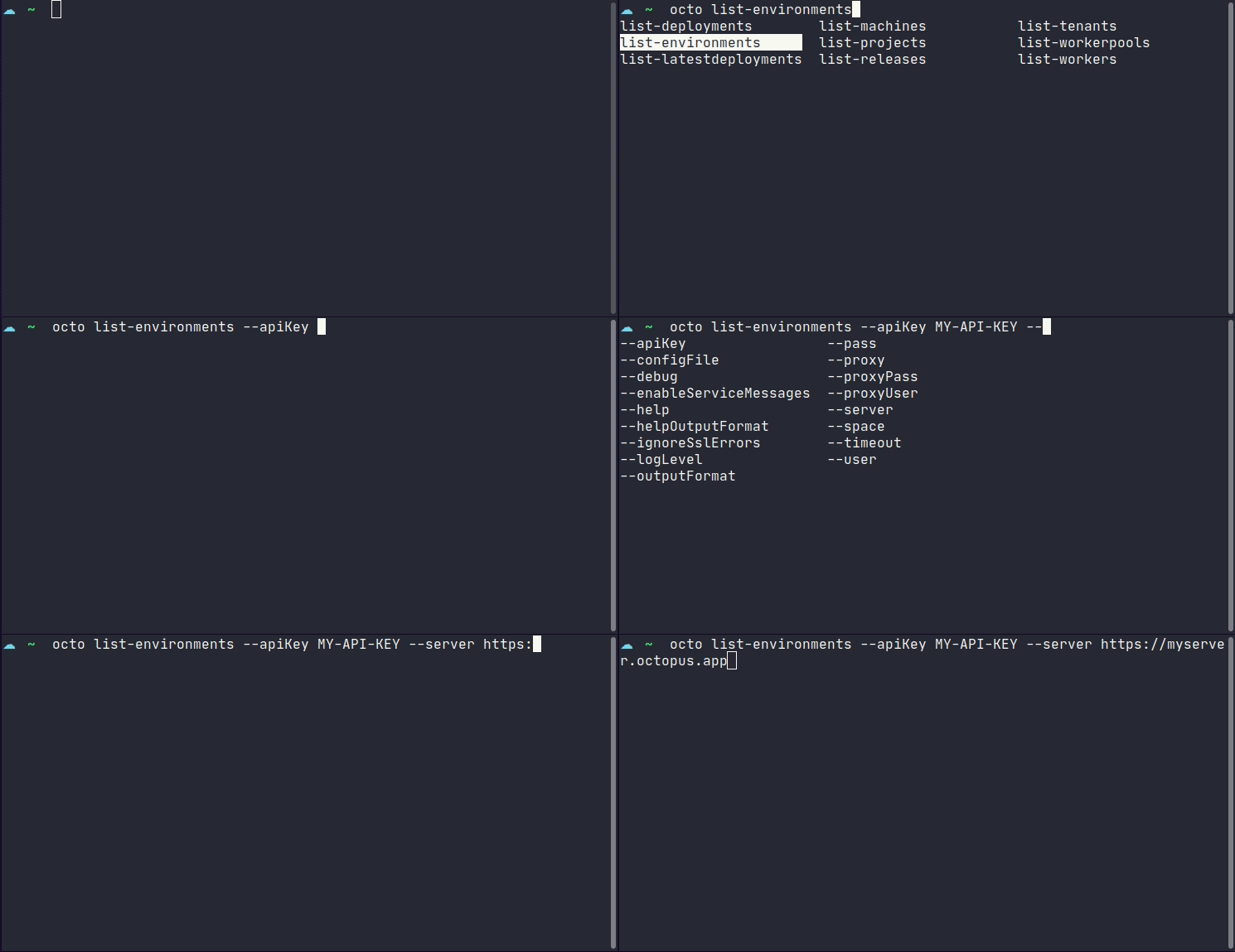
Tab completion is available for the following shell environments: `powershell`, `pwsh` (PowerShell Core), `bash` & `zsh`. This feature requires that `octo` or `Octo` is available from your $PATH, which is the default state if installed via a package manager or Chocolatey. If you've manually installed the CLI, please ensure your $PATH is also updated if you wish to use this feature. This is an optional feature that requires additional [installation steps](#OctopusCLI-TabCompletionInstallation) on a per-user basis, since this feature relies on built-in shell auto-completion facilities.
### Additional installation steps for tab completion. {#OctopusCLI-TabCompletionInstallation}
1. Check that `octo` is available on your path:
```bash
which octo
```
This should return a valid location on your path like `/usr/bin/octo`.
2. Install tab completion scripts into your profile, choosing from `powershell`, `pwsh`, `bash` or `zsh`:
```bash
octo install-autocomplete --shell zsh
```
:::div{.hint}
**Tips:**
- If you're using PowerShell on Windows use `powershell`. If you're using PowerShell Core on Windows, Mac or Linux, use `pwsh`.
- You can review changes to your profile without writing to disk by using the `--dryRun` option:
```powershell
octo install-autocomplete --shell powershell --dryRun
```
:::
3. Either restart your shell environment or 'dot source' your profile:
Bash
```bash
. ~/.bashrc
```
Zsh
```bash
. ~/.zshrc
```
PowerShell
```powershell
. $PROFILE
```
4. You can now discover sub-commands by typing `octo [search-term]` and hitting the [tab] key. If you don't provide a search term, the full list of available sub-commands will be shown.