# Defining the runbook process for targets
A runbook process can run steps, which include scripts, on the Octopus Server, a worker, or a deployment target. Up until this point in the tutorial the runbook process for *Hello Runbook* only ran on the Octopus Server. With the deployment target(s) added on the previous page, we can now update the runbook process to run on deployment targets.
1. Click **Runbooks** on the left menu.
1. Click *Hello Runbook* in the list of runbooks.
1. Click **Process** in the runbook menu.
1. Click **ADD STEP**.
1. Select the **Script** tile to filter the types of steps.
1. Scroll down and click **ADD** on the **Run a Script** tile.
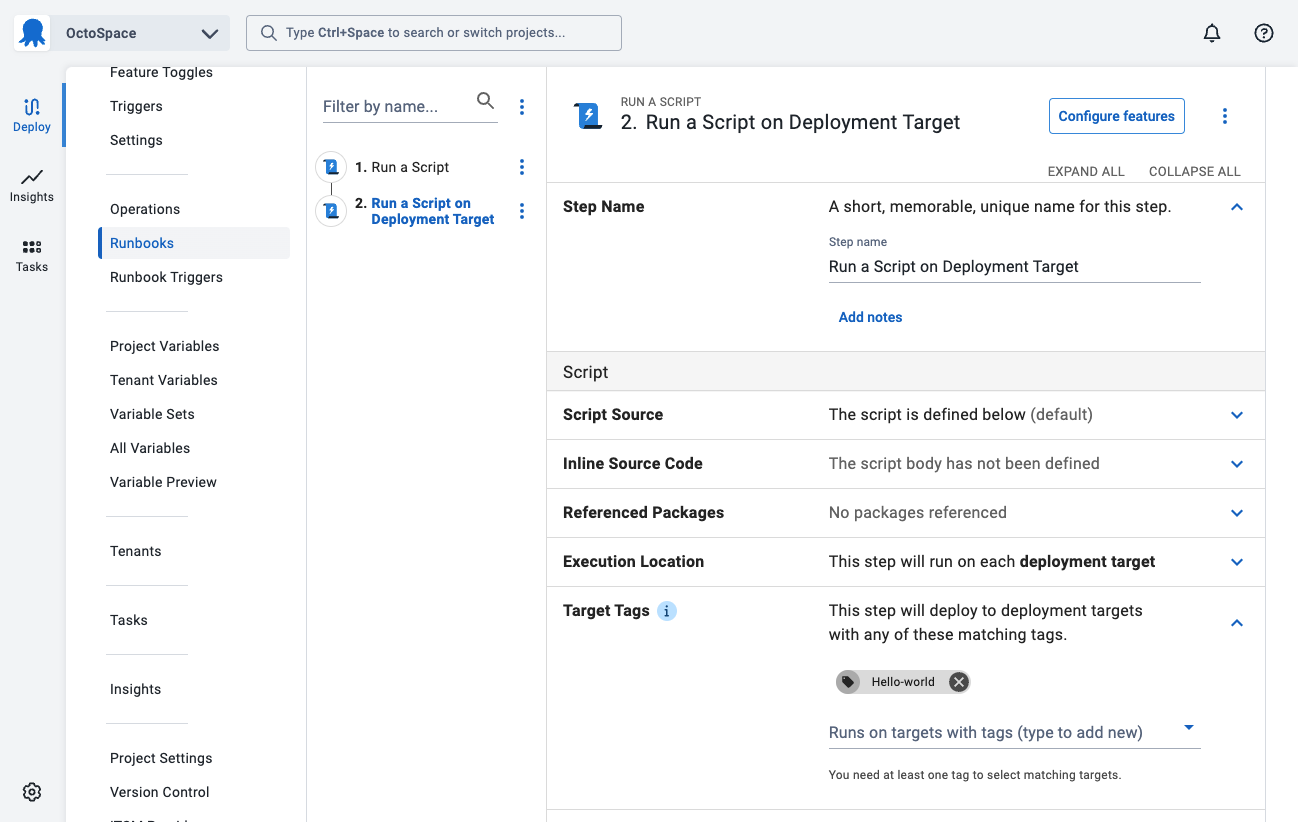
1. Change **Name** of the script to be "Run a script on deployment targets" for the script
1. Leave the **Enabled** check-box ticked.
1. In the **Execution Location** section change the option to be **Run on each deployment target**.
1. In the **Target Tags** section change the tag to be `Hello-World`.
:::figure
:::
:::div{.hint}
Not all steps can run on deployment targets. A step missing the option **Target Tags** indicates that step must run on the Octopus Server or a [on a worker](/docs/infrastructure/workers)
:::
11. Scroll down to the **Script**, select your script language of choice and enter the following script in the **Inline Source Code** section:
PowerShell
```powershell
Write-Host $OctopusParameters["Helloworld.Greeting"]
Write-Host $OctopusParameters["Octopus.Machine.Name"]
```
Bash
```bash
greeting=$(get_octopusvariable "Helloworld.Greeting")
echo $greeting
machineName=$(get_octopusvariable "Octopus.Machine.Name")
echo $machineName
```
1. Click **SAVE**
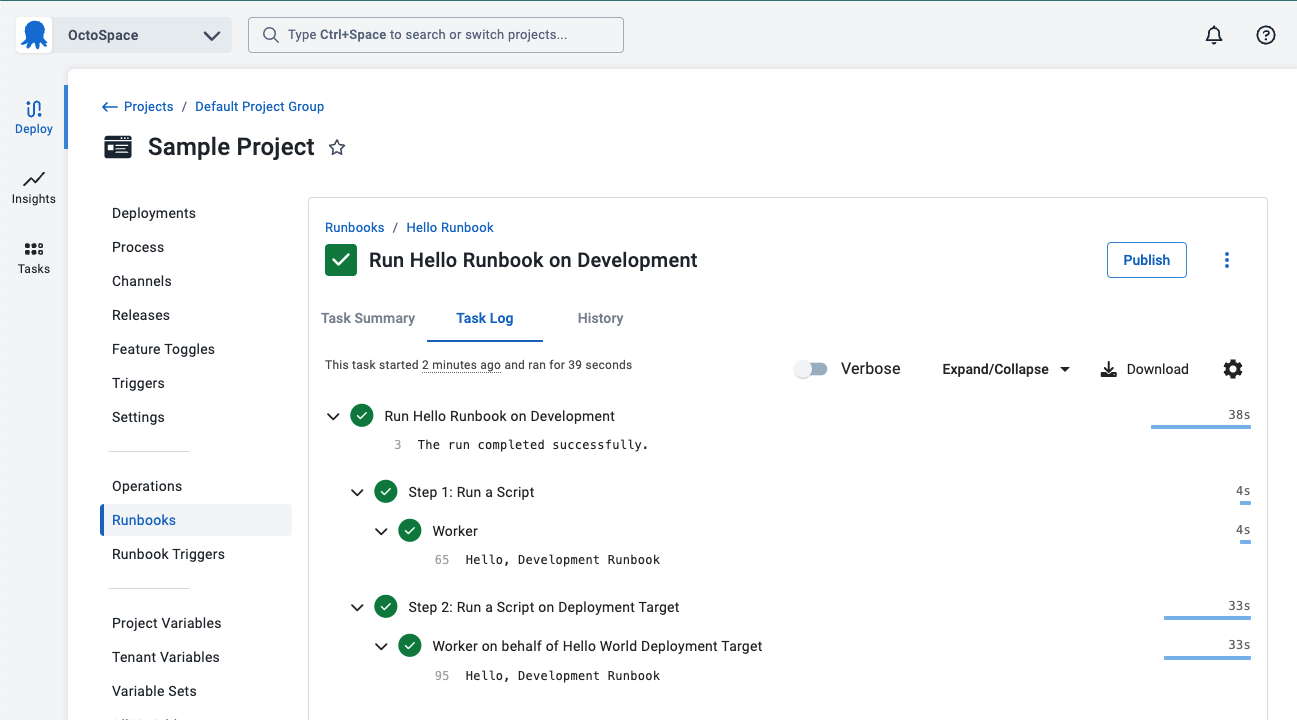
2. Click **RUN...** and select an environment to run on.
:::figure
:::
:::div{.hint}
Not all scripts should run on a deployment target. A rule of thumb is a script should target a deployment target if it needs to modify something specific on that target, such as restarting a service, or installing a web server. If you need to manage PaaS targets, K8s clusters, or database servers, the recommendation is to run the script [on a worker](/docs/infrastructure/workers).
:::
The next step will [publish the runbook](/docs/getting-started/first-runbook-run/publishing-a-runbook) so it can used by triggers and users have a known version to run.
**Further Reading**
For further reading on runbook processes and what is possible please see:
- [Runbook Examples](/docs/runbooks/runbook-examples)
- [Runbook Documentation](/docs/runbooks)