# Subscription webhook notifications
You can configure Octopus to send message to a [Slack](https://slack.com/) Workspace with the following process:
- Configure Octopus Deploy subscription to send a webhook.
- Configure a Slack App.
- Configure a tool to consume the webhook from Octopus and forward a message on to Slack.
:::div{.hint}
A number of technologies can be used to consume the webhook from Octopus. This document uses an [Azure Function App](https://docs.microsoft.com/en-us/azure/azure-functions/). Another alternative is to use Firebase Cloud Functions, and this is described in this [blog](https://octopus.com/blog/notifications-with-subscriptions-and-webhooks).
:::
## Configure an Octopus subscription to send a webhook
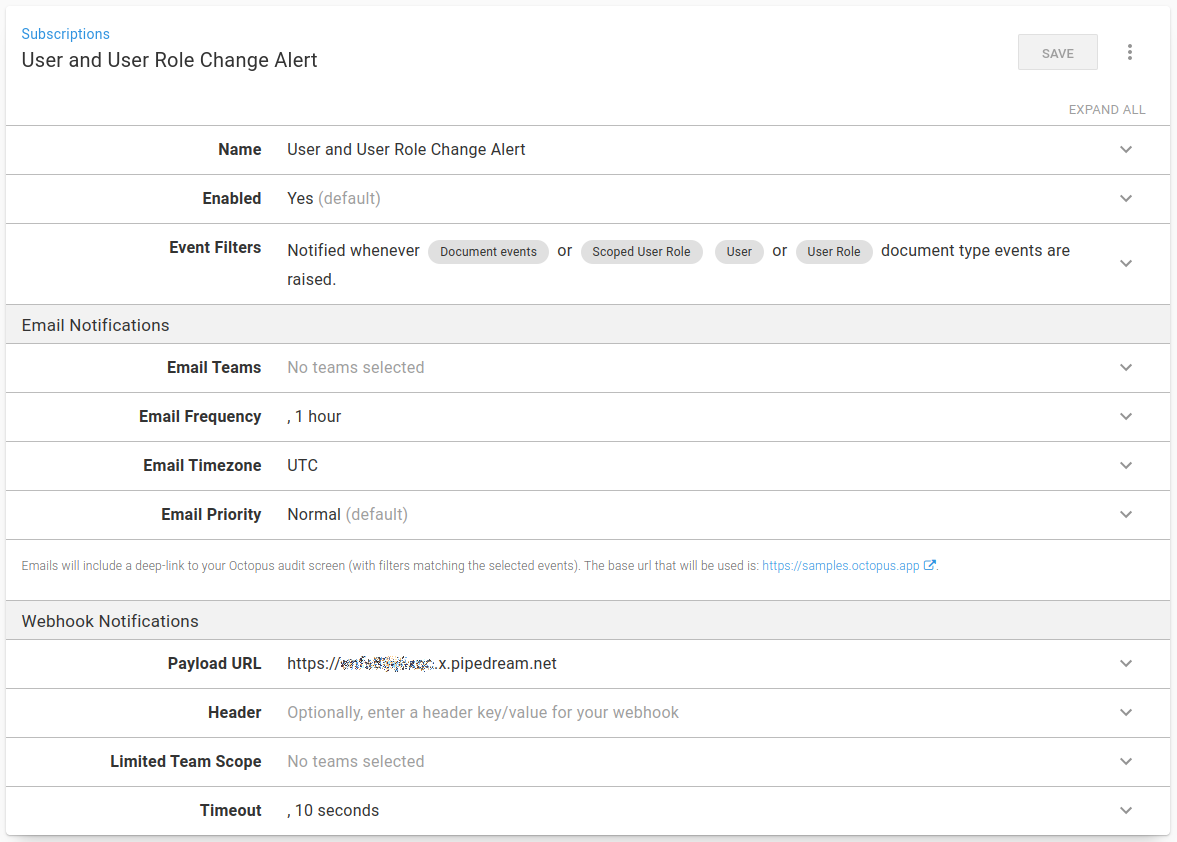
Configure a subscription in Octopus to send any events that occur against the `User`, `User Role`, and `Scoped User Role` documents:
:::figure
:::
As a starting point, the Payload URL is set to a value on [RequestBin](https://requestbin.com/), which provides access to the JSON being sent by Octopus before the function is built.
## Configure your Slack app
A Slack app must be configured to enable a message to be sent through to Slack.
1. In Slack, go to [**Your Apps**](https://api.slack.com/apps) and click **Create New App**.
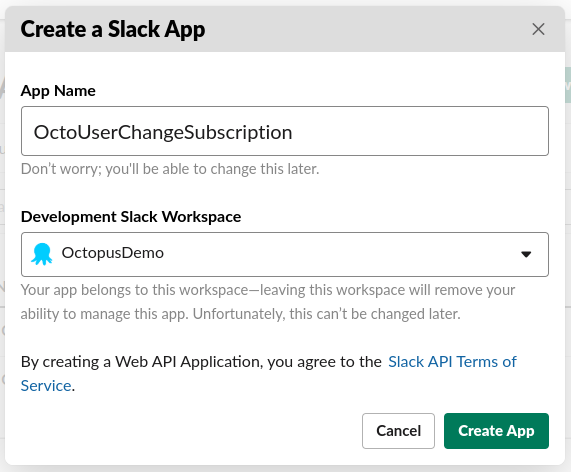
2. Enter a useful **App Name** and select the relevant Development Slack Workspace and click **Create App**:
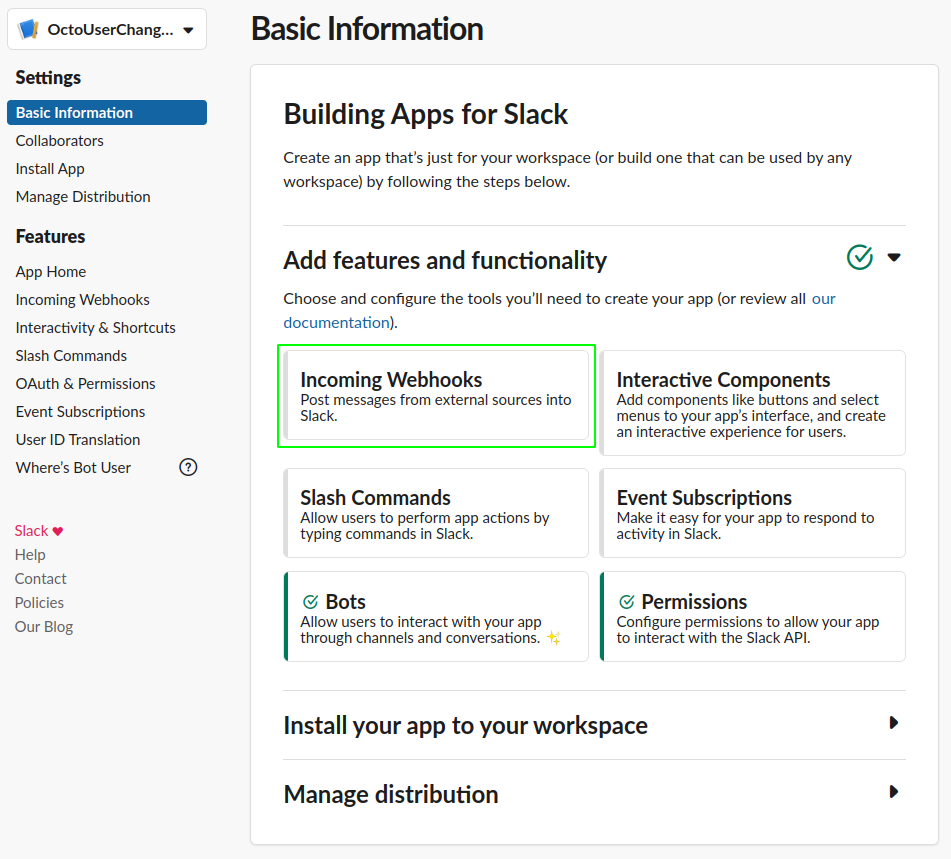
3. Select **Incoming Webhooks** from the **Add features and functionality** section:
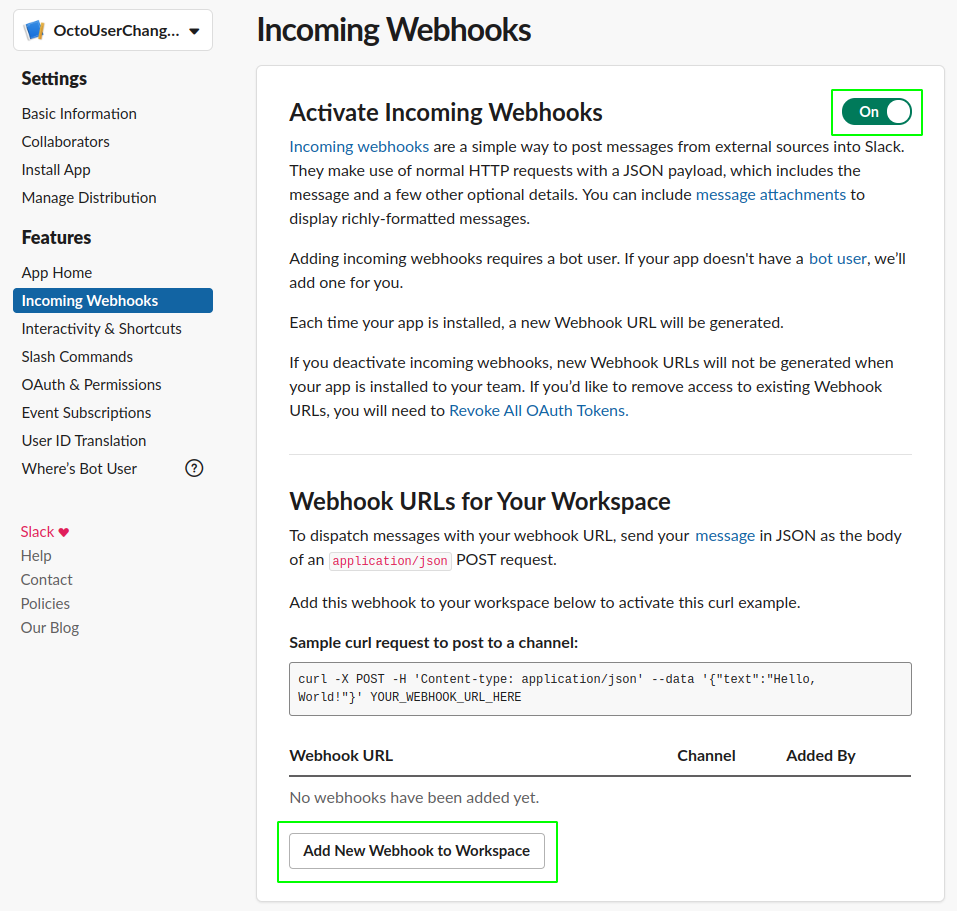
4. Click **Add New Webhook to Workspace**:
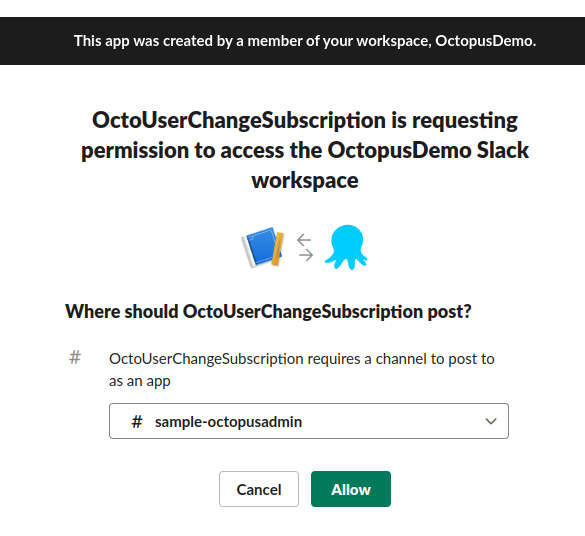
5. Select the channel to post the messages to:
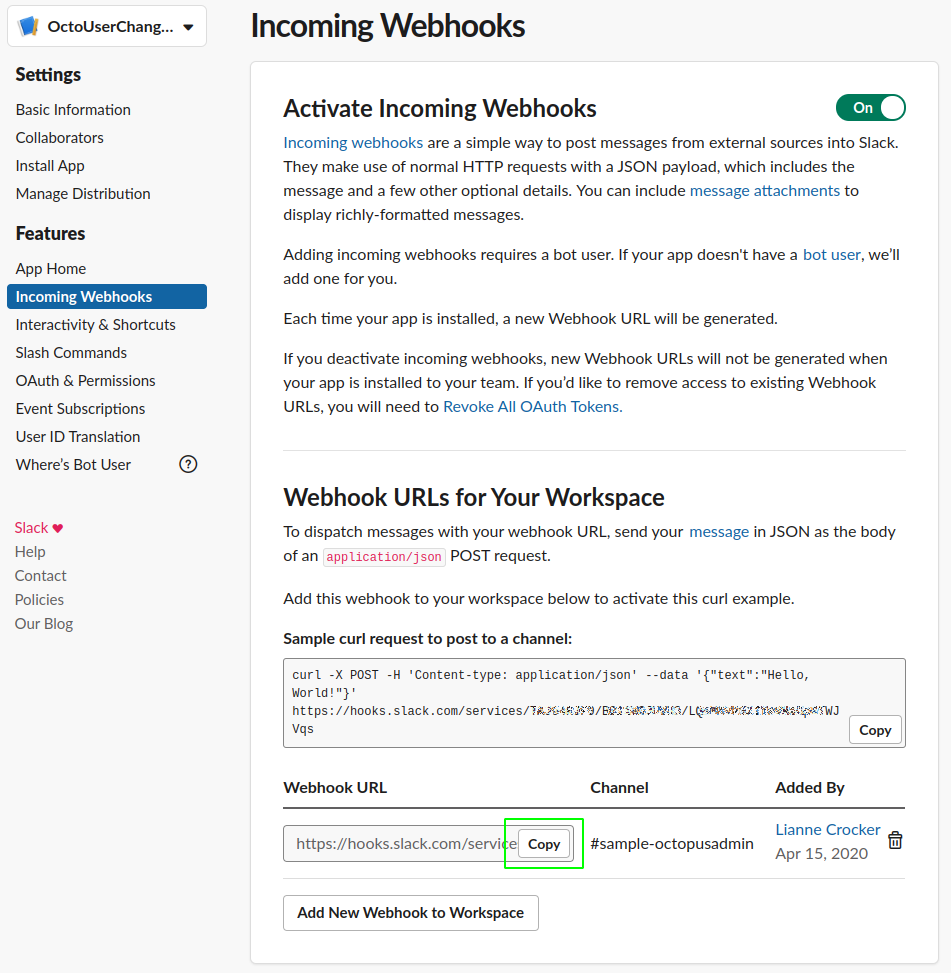
6. Copy the webhook URL, this is the value for the `SLACK_URI_APIKEY` environment variable on the Azure Function App:
## Create an Azure Function App
### Create the Function App in Azure
The Function App can be created via the [Azure Portal](https://portal.azure.com), and [ARM Template](https://azure.microsoft.com/en-gb/resources/templates/) or with the [Azure CLI](https://docs.microsoft.com/en-us/cli/azure/?view=azure-cli-latest).
To use the Azure CLI, create the Resource Group to contain the Function App:
```bash
az group create -l westeurope -n OctopusFunctions
```
Create the storage account for the Function App to use:
```bash
az storage account create -n octofuncstorage -g OctopusFunctions --sku Standard_LRS -l westeurope
```
Now create the Function App itself:
```bash
az functionapp create -g OctopusFunctions -n SubscriptionHandler -s octofuncstorage --functions-version 3 --runtime dotnet --consumption-plan-location westeurope
```
### Write the Function App code
:::div{.hint}
The code for this can be found in the [samples repo](https://oc.to/SamplesSubscriptionsRepo).
:::
The Octopus subscription has been created and set up to send data to RequestBin. Here's the resulting JSON payload following creation of a new Service Account user:
```json
{
"Timestamp": "2020-04-16T15:19:42.5410789+00:00",
"EventType": "SubscriptionPayload",
"Payload": {
"ServerUri": "https://samples.octopus.app",
"ServerAuditUri": "https://samples.octopus.app/#/configuration/audit?triggerGroups=Document&documentTypes=Users&documentTypes=UserRoles&documentTypes=ScopedUserRoles&from=2020-04-16T15%3a19%3a11.%2b00%3a00&to=2020-04-16T15%3a19%3a42.%2b00%3a00",
"BatchProcessingDate": "2020-04-16T15:19:42.3149941+00:00",
"Subscription": {
"Id": "Subscriptions-21",
"Name": "User and User Role Change Alert",
"Type": "Event",
"IsDisabled": false,
"EventNotificationSubscription": {
"Filter": {
"Users": [],
"Projects": [],
"ProjectGroups": [],
"Environments": [],
"EventGroups": [
"Document"
],
"EventCategories": [],
"EventAgents": [],
"Tenants": [],
"Tags": [],
"DocumentTypes": [
"Users",
"UserRoles",
"ScopedUserRoles"
]
},
"EmailTeams": [],
"EmailFrequencyPeriod": "01:00:00",
"EmailPriority": "Normal",
"EmailDigestLastProcessed": null,
"EmailDigestLastProcessedEventAutoId": null,
"EmailShowDatesInTimeZoneId": "UTC",
"WebhookURI": "https://xxxxxxxx.x.pipedream.net",
"WebhookTeams": [],
"WebhookTimeout": "00:00:10",
"WebhookHeaderKey": null,
"WebhookHeaderValue": null,
"WebhookLastProcessed": "2020-04-16T15:19:11.3637275+00:00",
"WebhookLastProcessedEventAutoId": 53624
},
"SpaceId": "Spaces-142",
"Links": {
"Self": {}
}
},
"Event": {
"Id": "Events-55136",
"RelatedDocumentIds": [
"Users-322"
],
"Category": "Created",
"UserId": "Users-27",
"Username": "xxxxxxxx@octopus.com",
"IsService": false,
"IdentityEstablishedWith": "Session cookie",
"UserAgent": "OctopusClient-js/2020.2.2",
"Occurred": "2020-04-16T15:19:14.9925786+00:00",
"Message": "User SubTest Service Account has been created ",
"MessageHtml": "User SubTest Service Account has been created ",
"MessageReferences": [
{
"ReferencedDocumentId": "Users-322",
"StartIndex": 5,
"Length": 23
}
],
"Comments": null,
"Details": null,
"SpaceId": null,
"Links": {
"Self": {}
}
},
"BatchId": "b2bdb09f-872a-4bc1-8272-ab2334de3660",
"TotalEventsInBatch": 2,
"EventNumberInBatch": 1
}
}
```
The items that will be used in the Slack message for this example are:
- Payload.Event.Message
- Payload.Event.SpaceId
- Payload.Event.Username
- Payload.ServerUri
:::div{.hint}
If you're using [VS Code](https://docs.microsoft.com/en-us/azure/azure-functions/functions-develop-vs-code?tabs=csharp) to write the code, you need to install the [Azure Functions Core Tools](https://github.com/Azure/azure-functions-core-tools) to enable debugging for your function.
:::
To use these items easily, create a class `OctoMessage` to hold them:
```c#
using System;
using Newtonsoft.Json;
namespace Octopus
{
[JsonConverter(typeof(JsonPathConverter))]
public class OctoMessage
{
[JsonProperty("Payload.Event.Message")]
public string Message {get;set;}
[JsonProperty("Payload.Event.SpaceId")]
public string SpaceId {get;set;}
[JsonProperty("Payload.Event.Username")]
public string Username {get;set;}
[JsonProperty("Payload.ServerUri")]
public string ServerUri{get;set;}
public string GetSpaceUrl(){
return string.Format("{0}/app#/{1}",ServerUri,SpaceId);
}
}
}
```
Add a class `SlackClient` to take the message data and send it through to Slack:
```c#
public class SlackClient
{
private readonly Uri _uri;
private readonly Encoding _encoding = new UTF8Encoding();
public SlackClient(string slackUrlWithAccessToken)
{
_uri = new Uri(slackUrlWithAccessToken);
}
public string PostMessage(string text)
{
Payload payload = new Payload()
{
Text = text
};
return PostMessage(payload);
}
public string PostMessage(Payload payload)
{
string payloadJson = JsonConvert.SerializeObject(payload);
using (WebClient client = new WebClient())
{
var data = new NameValueCollection();
data["payload"] = payloadJson;
var response = client.UploadValues(_uri, "POST", data);
return _encoding.GetString(response);
}
}
}
```
The main class of the function `OctopusSlackHttpTrigger`, will receive the HTTP message, take the request message body and deserialize it into an `OctoMessage` object. Next, it will build the message text and send it through to Slack using a `SlackClient` object:
```c#
public static class OctopusSlackHttpTrigger
{
[FunctionName("OctopusSlackHttpTrigger")]
public static async Task Run(
[HttpTrigger(AuthorizationLevel.Function, "post", Route = null)] HttpRequest req,
ILogger log)
{
var client = new SlackClient(Environment.GetEnvironmentVariable("SLACK_URI_APIKEY"));
var data = await new StreamReader(req.Body).ReadToEndAsync();
var octoMessage = JsonConvert.DeserializeObject(data);
var slackMessage = string.Format(
"{0} (by {1}) - <{2}|Go to Octopus>",
octoMessage.Message,
octoMessage.Username,
octoMessage.GetSpaceUrl());
try
{
var responseText = client.PostMessage(text: slackMessage);
return new OkObjectResult(responseText);
}
catch (System.Exception ex)
{
log.LogError(ex.Message);
return new BadRequestObjectResult(ex.Message);
}
}
}
```
### Test the Azure App Function
Before pushing this to Azure it can be tested locally. The `Run` method uses the environment variable `SLACK_URI_APIKEY`, this is the value copied when the Slack app was configured. In order to use this value when debugging locally, add the value to the `local.settings.json` file:
```json
{
"IsEncrypted": false,
"Values": {
"AzureWebJobsStorage": "",
"FUNCTIONS_WORKER_RUNTIME": "dotnet",
"SLACK_URI_APIKEY":"https://hooks.slack.com/services/XXXXXXXX/XXXXXX/XXXXXXXXXXXXXXX"
}
}
```
Hit F5 to compile and run the app, a URL will be output to the terminal to which a `POST` test request can be sent:
:::figure

:::
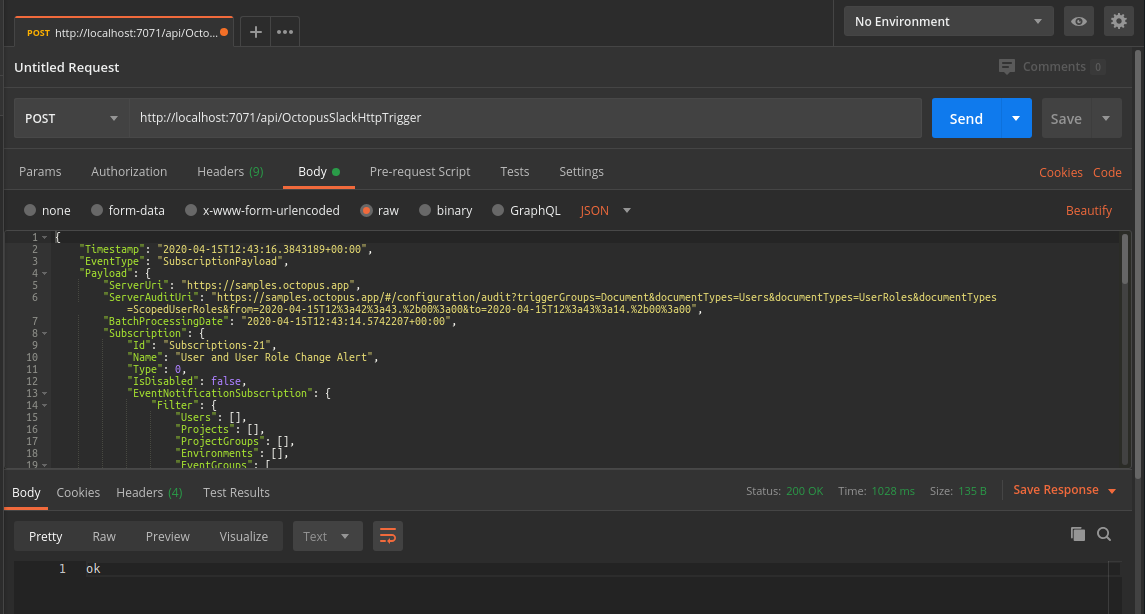
[Postman](https://www.postman.com/) can send a test request, passing in a test JSON payload.
:::figure
:::
If this is configured correctly, it will return `200 OK`, and the message will appear in Slack!
:::figure

:::
### Build the Azure App Function
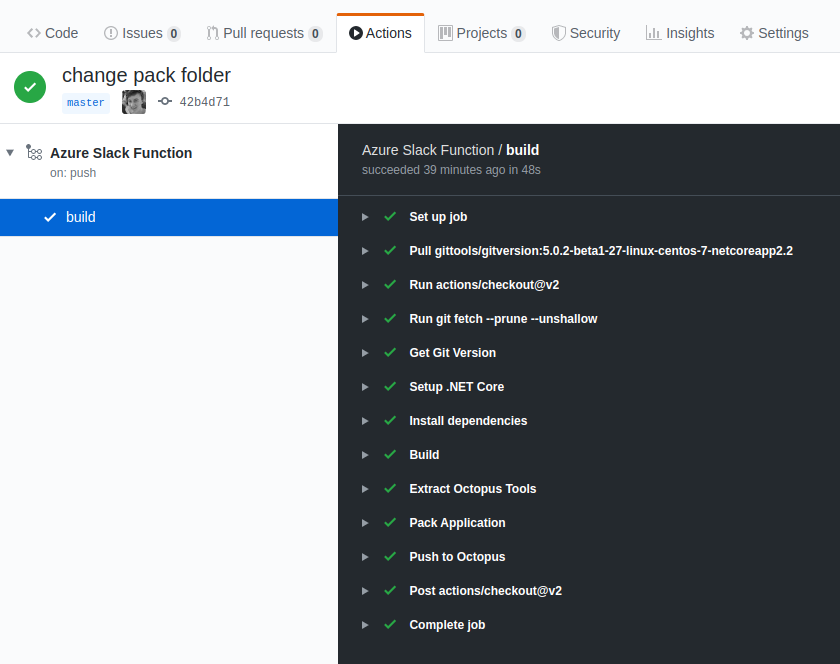
This example uses [Github Actions](https://github.com/features/actions) to build the function code, package it, and push it to Octopus, which deploys it to Azure.
:::figure
:::
The build YAML can be found in `.github/workflows/AzureSlackFunction.yaml` in the [samples repo](https://oc.to/SamplesSubscriptionsRepo).
### Deploy the Azure App Function
The Azure Function App created here is deployed to with Octopus, using a deployment target type of Azure web app. For more information see, [deploying a package to an Azure web app](/docs/deployments/azure/deploying-a-package-to-an-azure-web-app).
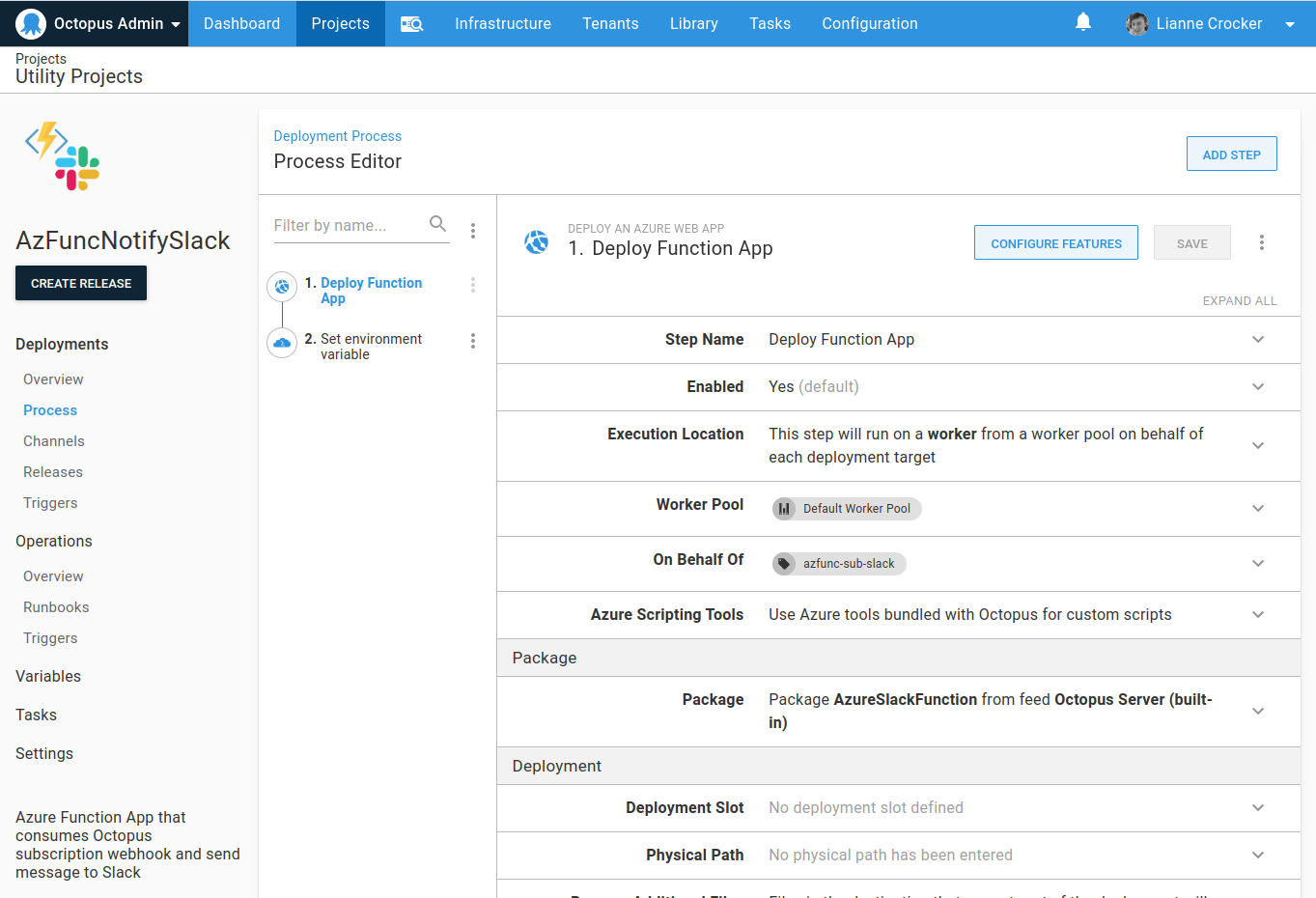
A [project](/docs/projects) has been configured to deploy the Function App.
:::figure
:::
The project has two steps:
1. Deploy the Azure Function App.
2. Set the environment variable for `SLACK_URI_APIKEY`.
The project can be viewed in the `AzFuncNotifySlack` project on our Octopus [samples instance](https://oc.to/OctopusAdminSamplesSpace).
## Test the subscription
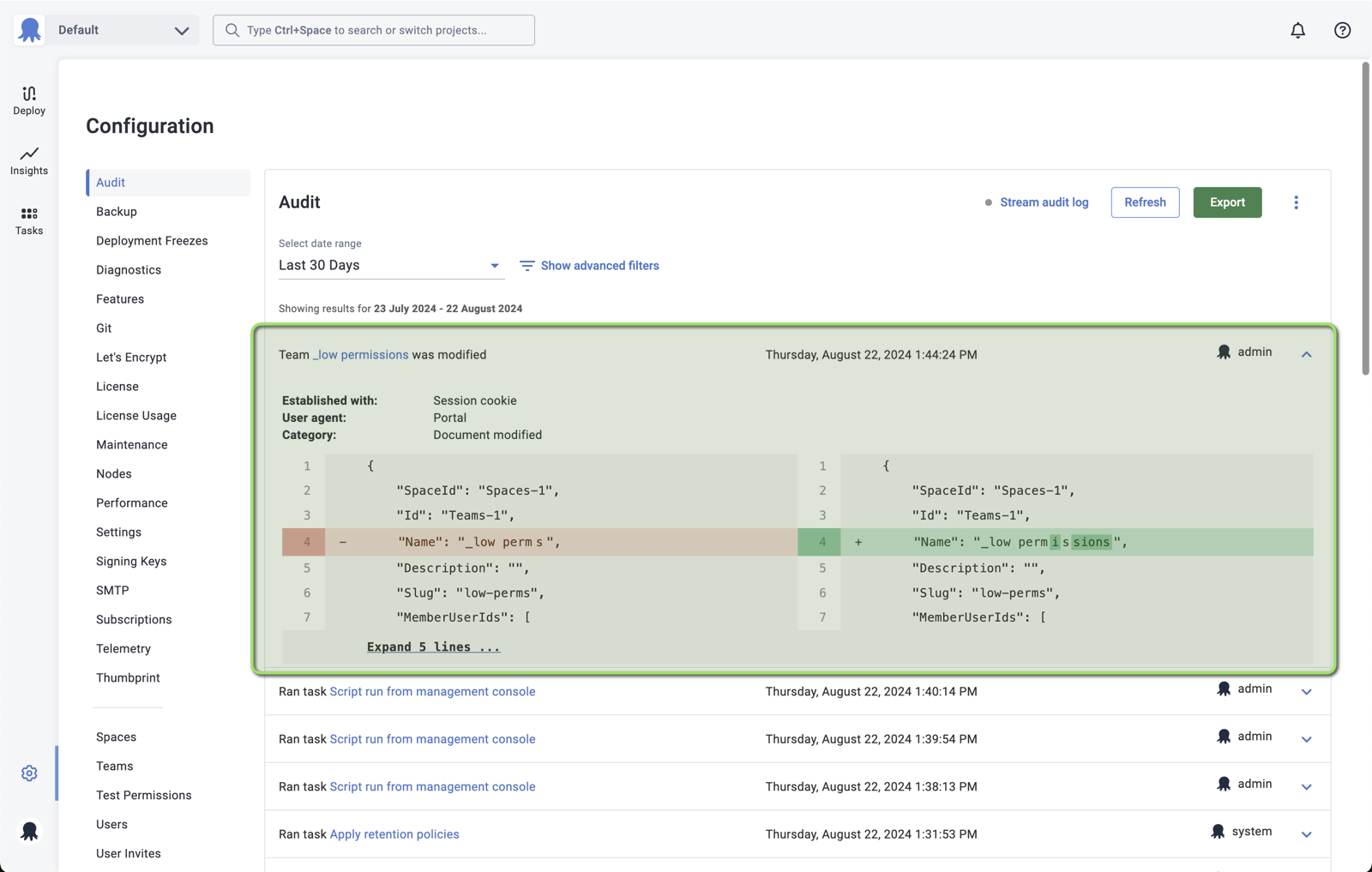
If an Octopus user is changed, the change is shown in the audit trail.
:::figure
:::
And the message is sent from the subscription webhook to the Azure Function App in Azure and then on to Slack.
:::figure

:::